Structured data: helping search engines understand your webpage
A webpage can serve many purposes: from a simple informational page to the online presence of a business or a large e-commerce platform. Regardless of its purpose, a good webpage needs more than compelling content and an attractive design. It also needs to present information in a way that both people and machines can understand.
One way to help machines interpret your content is through structured data: a standardized way to describe the information and entities represented on a webpage.
What is structured data?
Structured data is information organized according to a defined format and vocabulary, allowing machines to interpret its meaning more consistently.
Imagine a shipping company handling thousands of packages every day. Each package contains something different, but the logistics team cannot open every box to figure out what is inside. Instead, packages carry labels with relevant information, such as their contents, destination, weight, and tracking number. These labels help people and automated systems identify and process each package efficiently.
Webpages face a similar challenge. You can invest significant effort in creating valuable content and an appealing user experience, but machines still need to interpret what that content represents. Structured data provides an additional, standardized description that helps them understand the information on the page.
To understand how it works, we need to introduce two essential concepts:
Schema.org JSON-LD: A format for expressing structured data using JSON. Other formats, such as Microdata and RDFa, are also available, but JSON-LD is commonly recommended by Google for implementing structured data on webpages.
Here is a simplified example of JSON-LD markup for a blog article. On a webpage, this JSON is typically placed inside a <script type="application/ld+json"> tag in the HTML document. It can be included in the <head> or <body> of the page and does not appear as visible content to readers.
<script type="application/ld+json">
{
  "@context": "https://schema.org",
  "@type": "BlogPosting",
  "headline": "A Practical Guide to Structured Data",
  "author": {
    "@type": "Person",
    "name": "Jane Doe"
  },
  "datePublished": "2026-10-19",
  "dateModified": "2026-10-19",
  "mainEntityOfPage": {
    "@type": "WebPage",
    "@id": "https://example.com/blog/structured-data"
  }
}
</script>
We will explain the meaning of some of these properties later. For now, think of this example as a machine-readable description of an article, its author, its publication dates, and the webpage where it appears.
Why is structured data useful?
Structured data helps search engines interpret the content of a webpage and can make it eligible for supported enhanced search features. More broadly, it provides a consistent way to describe information and relationships that software systems can process.
Here are some common examples of where it can be useful:
Blog posts and articles: Describe the headline, author, publication date, and representative image.
Products: Identify product details, such as its name, image, price, and availability, where applicable.
Local businesses: Describe business information, including its address, opening hours, and other relevant details.
Events: Provide information about an event's date, location, and other relevant characteristics.
Site navigation: Use
BreadcrumbListto describe the hierarchy of a webpage within a website, helping search engines understand its position in the site's structure.Organizations: Describe a business or publisher and relevant information about it, helping distinguish the organization from the individual webpages it owns or operates.
Structured data can also describe relationships between these entities. For example, an article can reference its author and publisher, while a webpage can be associated with the article it contains.
It is important to understand that structured data does not guarantee better rankings, more traffic, or a special search result. Google supports specific structured-data types for particular search features, and each feature has its own eligibility requirements. Other search engines and AI-powered systems may interpret or use structured data differently.
Nevertheless, implementing accurate, relevant structured data is a useful way to make the meaning of your content more explicit.
A practical example: adding structured data to an article
Enough about concepts and definitions. Let's look at a practical example of adding structured data to an article from our own website.
We will use our article,
The article already contains useful information for readers. Now, let's add structured data to describe it more explicitly.
We start by identifying the information available on the webpage and mapping it to the corresponding properties in Schema.org.
Choose an appropriate type. We use
BlogPostingas the value of@typebecause the page is a blog article.Add the title and description. We use the
headlineproperty for the article's title and write a concise summary of its content for thedescriptionproperty.Reference the cover image. We use the
imageproperty to provide the URL of the article's cover image, matching the visual content associated with the page.Identify the author. We use a nested object with the type
Personinside theauthorproperty. Itsnameproperty contains the author's name as displayed on the article.Include the publication date. Finally, we use
datePublishedto specify when the article was originally published, making sure the date matches the information available on the page.
The result is a simplified JSON-LD implementation. The screenshots below show where these values can be found in the article's existing content.
{
  "@context": "https://schema.org",
  "@type": "BlogPosting",
  "headline": "Automating GraphQL Schema Validation with @graphql-tools and @graphql-inspector",
  "description": "Stop invalid GraphQL queries early: automate validating your queries against the schema with @graphql-tools and GraphQL Inspector, step by step.",
  "image": "https://hccdn.tuix.ch/Covers_Desktop_4_K_AA_dd87128d06.webp",
  "author": {
    "@type": "Person",
    "name": "Daniel Lozano"
  },
  "datePublished": "2024-07-31"
}
This example describes the article using a small set of properties. Let's look at what each one means.
@contextidentifies the vocabulary used to interpret the terms in the JSON-LD document. Here, it points to Schema.org.@typeidentifies the entity being described. In this case,BlogPostingrepresents a blog post.headlineprovides the article's title.descriptionsummarizes the article's content.imageidentifies a representative image for the article.authordescribes the person who wrote the article.datePublishedspecifies when the article was originally published.
Together, these properties provide a structured description of the article rather than leaving machines to infer every detail from the page's text and layout.
This is only a basic example. A production implementation may include additional properties, such as the modification date, the publisher, the canonical webpage URL, and relationships to other entities on the site. Which properties you should include depends on the content and the structured-data use case you want to support.
As you become familiar with the vocabulary and its structure, extending your implementation becomes easier.
Validating structured data
Once you have prepared your structured data, how do you know it is correct? A JSON document can be syntactically valid while still containing incorrect information, inappropriate properties, or markup that does not meet the requirements of a particular search feature.
Fortunately, several tools can help you validate your implementation.
We recommend starting with these two:
Schema Markup Validator Google Rich Results Test
Although both tools are useful, they serve different purposes.
The Schema Markup Validator checks your markup against the Schema.org vocabulary. It helps you identify issues with the structured data and understand how your types and properties are interpreted.
The Google Rich Results Test checks whether your page contains structured data that Google recognizes for supported rich result features. It can identify issues that affect eligibility for those features.
These tools can highlight missing recommended properties, invalid values, and other implementation problems.

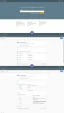
Once your structured data is deployed, you can also use


Tips and common mistakes to avoid
Implementing structured data is relatively straightforward, but there are several things to consider if you want to keep it accurate, useful, and maintainable.
Start with the most important content. Schema.org provides a large vocabulary, but you do not need to use every available type or property. Identify the main purpose of your webpage and describe the entities that matter most. Start with the information that best represents the content and expand when there is a clear reason to do so.
Choose the most specific applicable type. Several types can describe related concepts, but they are not interchangeable. For example,
BlogPostingis a more specific type thanArticle, and both are more specific thanCreativeWork. Choose the most specific type that accurately represents your content rather than selecting one simply because it seems more detailed.Validate your implementation before and after publishing. Test your structured data during development and again after deploying it. Small changes to a template, property, or content field can introduce errors. Use the appropriate validators to catch issues early, and review any warnings in context rather than assuming every warning is a critical error.
Keep your structured data synchronized with the page. One of the most important principles is that structured data should accurately reflect the visible content of your webpage. If you change an article's title, update its publication details, or modify a product's price, make sure the corresponding structured data remains accurate. Inaccurate or misleading markup can violate search engine guidelines and affect eligibility for search features.
Automate what can be automated. If your website uses a CMS (Content Management System) with reusable templates, consider generating structured data from the same source that powers the page. This reduces the risk of inconsistencies between the visible content and its structured representation.
For example, we use Strapi to let non-technical team members manage website content through an admin panel. Our website retrieves this content through GraphQL queries, allowing us to use the same source to generate structured data and keep it aligned with the information displayed on each page.
On top of that, we've developed our own AI skills to automate the validation process. These skills check the latest content in Strapi and use GraphQL to verify the fields containing our structured data. If the AI detects an inconsistency between the content and the structured data, it immediately asks us for approval to make the necessary changes. Once approved, it updates the relevant fields, helping us keep our structured data accurate and up to date.
You can also incorporate automated validation into your development workflow, such as running checks before deployment or monitoring changes to your markup. AI tools can assist with reviewing and explaining potential issues, but their output should still be verified against the relevant specifications and guidelines.
Conclusion
Structured data is worth the effort when your website contains content that benefits from being clearly described to search engines and other systems, especially when you can generate and maintain the markup through reusable templates or a CMS. It is less useful when a page has little structured information to describe or when the implementation and maintenance effort outweigh the potential benefits.
It also has limits:
It doesn't guarantee better rankings. Valid structured data can make your content eligible for supported rich results, but search engines decide whether to display them.
It depends on accurate content. The markup must reflect what's actually visible on the page and follow the relevant specifications. Outdated or inconsistent data can undermine its usefulness.
It requires ongoing validation. Content changes, template updates and schema requirements can introduce errors. Automated checks help catch issues, but they don't replace reviewing the implementation.
Structured data helps machines interpret your content. You focus on choosing the right use cases and keeping the information accurate; reusable templates and automated validation can take care of much of the repetitive work.